
The Fund Drive will be March 8th-13th, sign-up for two shifts OUTSIDE of your regular show. Your name should already be listed in your show spot.
Sign up for one of the Spring Programmers Meetings!
The Fund Drive will kick off with the Get Loud Concert March 7th but we will not be doing on-air pitching during the day Saturday.
Programmers are also needed as Crew Leaders to supervise volunteers. [This is the time to get in your required 6 hours of volunteering outside of your program.] In a change, most Crew Leader shifts will be only 3 hours. Kiss Your Radio Station by signing up now. Click HERE!
Board meeting times and location will be available here along with important board documents including by laws, articles of incorporation, and board minutes.
Some programmers are experiencing problems entering playlists on the DJ mac. If you have issues, try using the Tidal computer to bring up kyrs.org and entering your playlist on it. We’ve directed our entire IT department to root out this despicable scourge.
Here is a copy of our Memorandum of Understanding with the Spokane Public Library
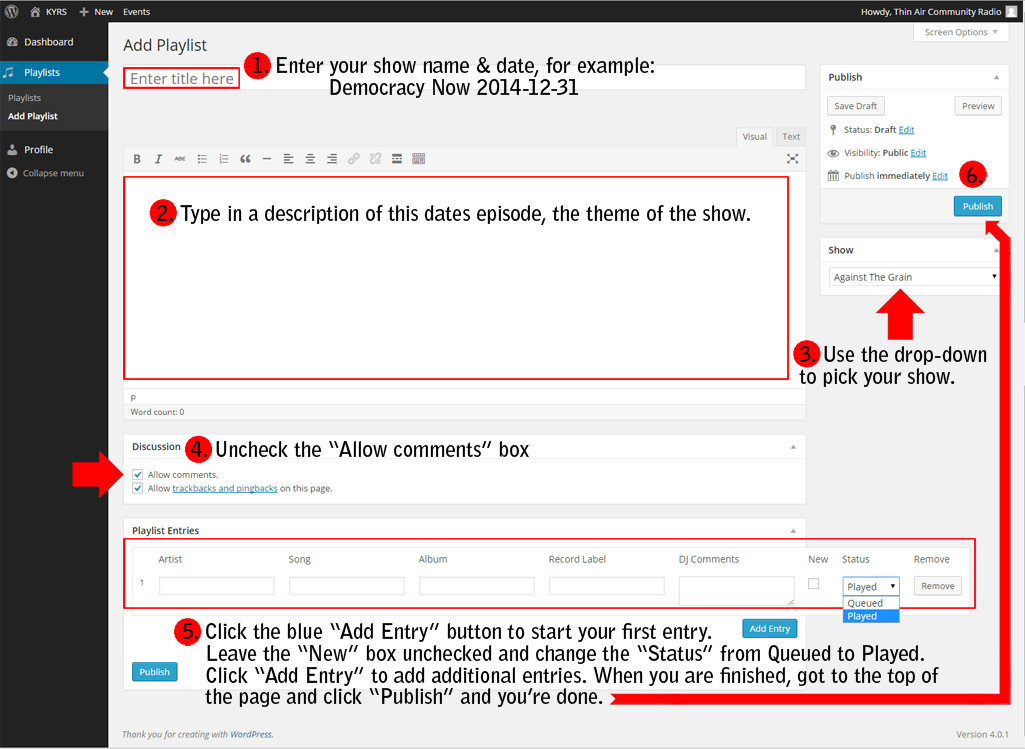
Training documents are now here, programmers manual, programmers contract, playlist instructions etc.
Individual show descriptions and audio promos can be found here.
PSA’s can be found here and Underwriting can be found here
—
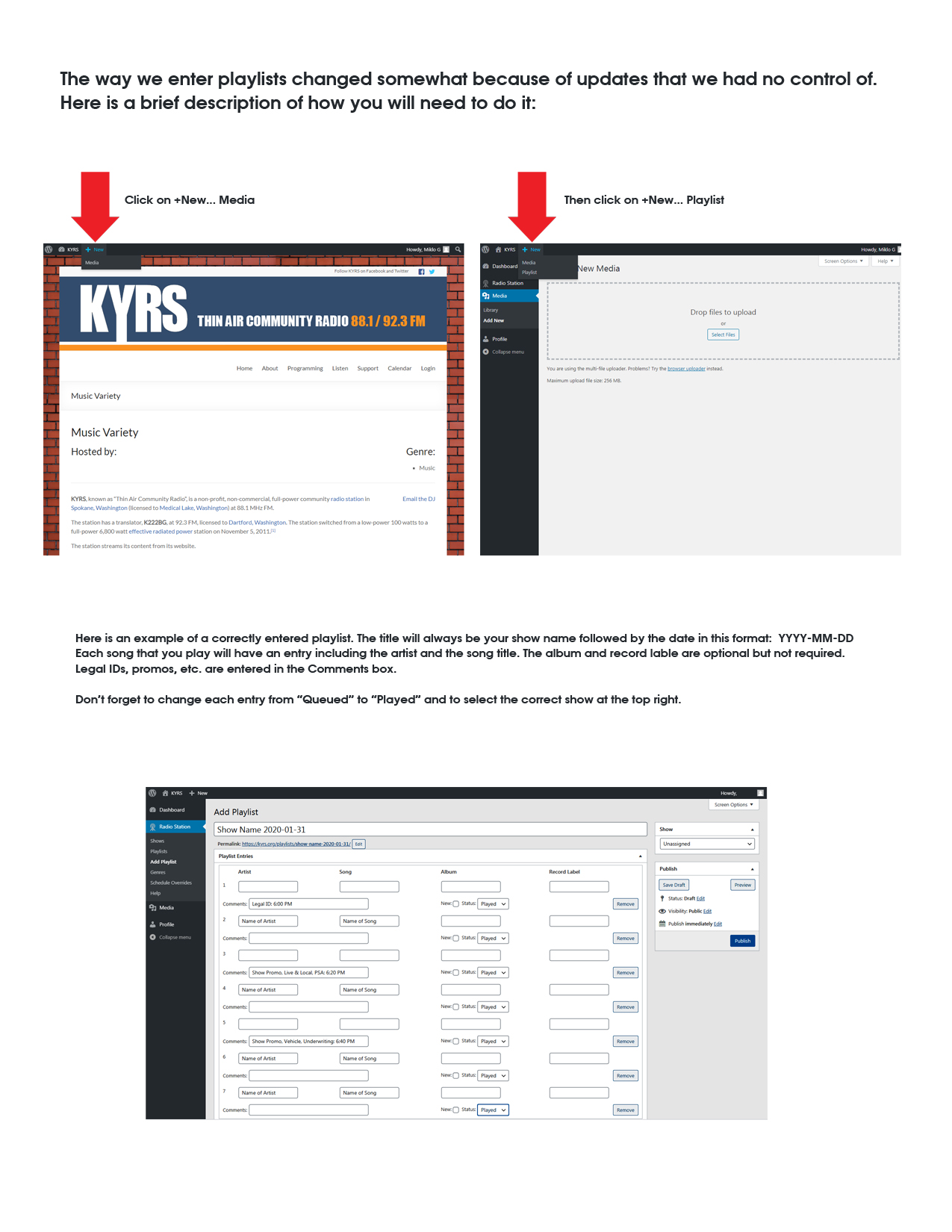
How to find the link to enter playlists:
Because of some recent updates to WordPress, the link to enter playlists is in a different spot.
Click on this image for instructions:
To contact Dana Matthews email programdirector@kyrs.org or call his office phone 509-209-2875. If there is an urgent situation, you can text or call Dana at 509- 869-4108.
Welcome to the KYRS Administration site!
If you need assistance with this website or your email, contact the KYRS office.
Click here to check email.
Click here for the Production Room Scheduler
Click here for a guide on recording a show in the Production Room
Click here to read the Programmers Manual
Click here for a tutorial on adding audio to the website.
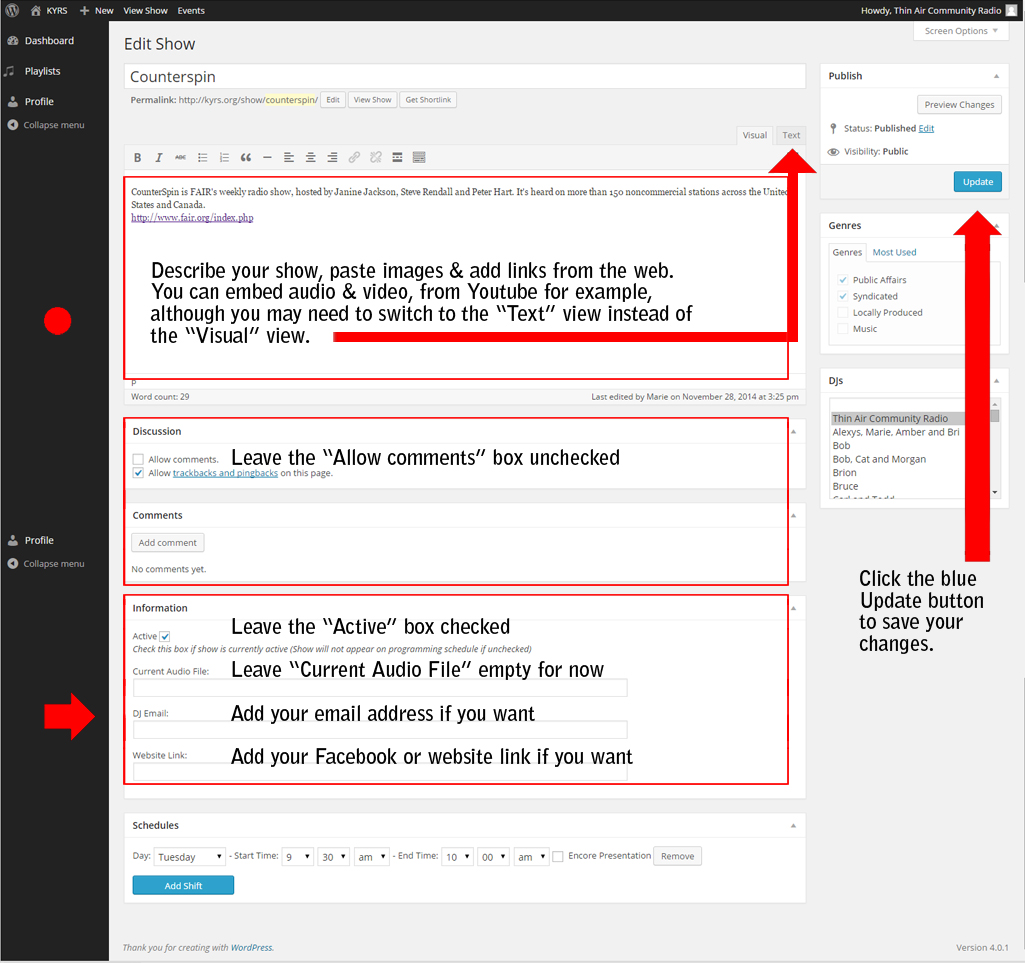
Here is a video tutorial on editing your show or playlists:
And some screenshots:
(Click your back button to return here after viewing)
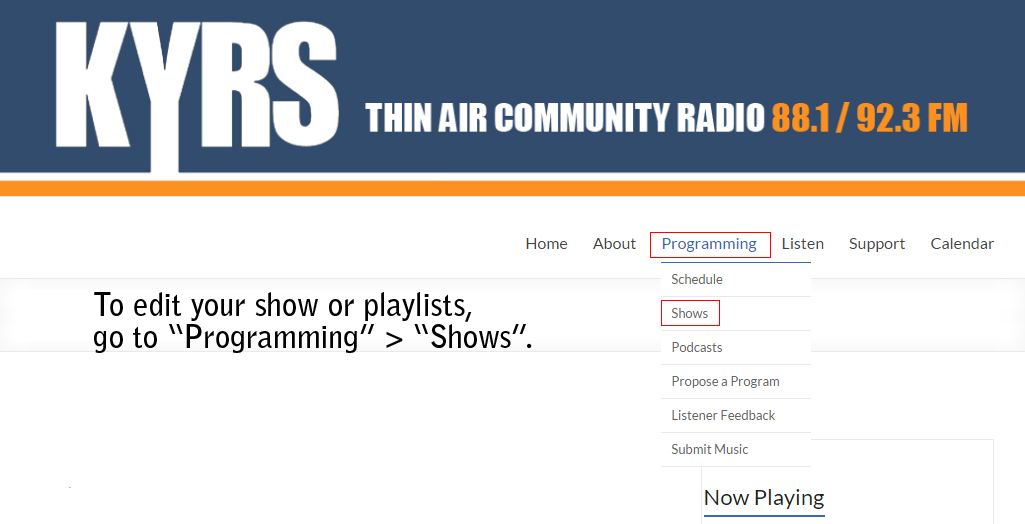
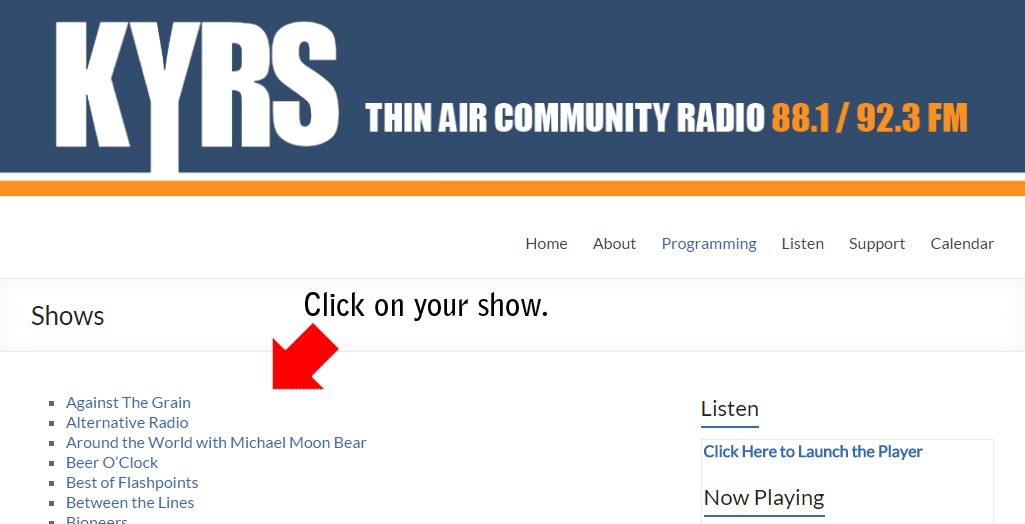
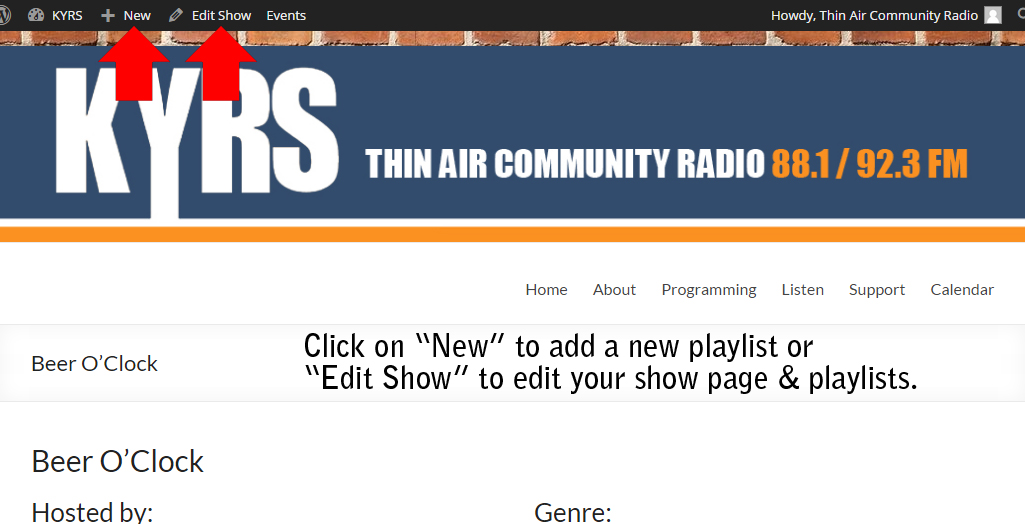
Adding a new playlist:
Editing your show page:
Syntax: https://kyrs.org/sign-up/?sheet_id=7